
Picture a six-person agency in Pune with two campaigns due on Friday. One client approved the design by email. The other asked for a revision in chat. Both jobs need the same designer, and the account manager finds out only after promising both clients a deadline. Now someone has to rearrange the work and make an awkward phone call.
That’s the kind of problem all in one project management software can help a small team catch earlier. When the schedule, task assignments and client updates sit in the same workspace, the person making the promise can see what it will take to keep it.
Give projects, teams and clients a shared record
A single platform for business management works best when everyone knows where to put an update. For a small agency or consultancy, three records are usually enough to start:
- Project: Keep the agreed scope, milestones and changes to the schedule here.
- Task: Name the owner, set a due date and attach the brief or feedback needed to finish it.
- Client: Record the deal, key contacts and follow-up commitments so the delivery team knows what sales promised.
Suppose a client moves an approval from Tuesday to Thursday. The account manager records the decision on the project, then flags the tasks that depend on it. The delivery lead can check what needs to move, and the designer can see which assignment comes first. If that decision stays in a private message, the schedule still tells the rest of the team to work to Tuesday’s plan.
Build a schedule that shows what can slip
When comparing project planning software online, put two active jobs on the same timeline. Include dates you control and dates that depend on the client. Two projects can look manageable on their own and still clash when they need the same person on the same day.
One lesson from project planning in software project management applies to agency work, too: map dependencies before committing to dates. A developer may need access to a test environment before checking an integration. A campaign may need sign-off on its copy before the ads can be scheduled. Nexflow’s planning tools show project schedules in a Gantt view and track relationships between individual tasks in a separate Dependencies module.
A late approval doesn’t have to stop the whole project. While the revised banner is waiting for sign-off, the agency can still prepare the landing page and check its tracking links. Call out which tasks are blocked and which can move ahead.
Check who has time before you promise a date
Good team task management shows who owns each assignment and what else is on their plate. In the Pune agency, the lead discovers that one campaign is tied to a product launch while the other has room to move. With that information, the account manager can propose a new date for the flexible campaign before the client has to ask.
The best task management software for your team should also make estimates easier to review. Estimated hours tell you how much work you’re assigning; logged hours show how long it took. If banner revisions keep taking twice as long as planned, look at the work before increasing every estimate. A clearer brief or one named approver may cut out a round of revisions. If the extra work is unavoidable, reflect it in the next quote.
Agree on one rule for updating the board: whoever moves a due date records the reason. Then ask the team to compare workloads at the start of the week. A five-minute check gives people a chance to flag a clash before the account manager calls a client.
How to manage client projects in an agency
At kickoff, tell clients where to send feedback, who will provide updates and where to report problems after delivery. When a change comes through chat, record it on the project so colleagues can find it later. If it adds work beyond the agreed scope, check the cost and schedule before promising a delivery date.
When comparing client portal software for agencies, list what clients need to do. A client reporting a broken form has different needs from one approving a design or downloading files. Nexflow’s support desk provides a public ticket form and a tracking link. Internal notes stay separate from client replies. If your agency also needs formal approvals or file sharing, test those workflows separately.
Give each request a named owner. If a campaign link breaks, a developer may fix it while the account manager keeps the client informed. The client should know who will reply and when to expect an update.
What a pilot in Nexflow can show you
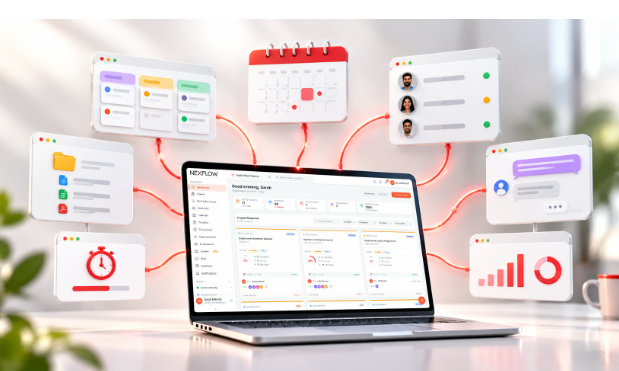
Nexflow brings projects, team chat, timesheets, sales CRM and support into one cloud workspace. The sales pipeline records deals and follow-up reminders. Workflow rules can notify a project owner when a task becomes overdue. Try the rule on a sample task and check whether the alert gives the recipient enough information to act.
A shortlist of top project management software for small business can get you started. To find the best work management software for your team, give each platform the same job to do. Use two projects that share a team member, then ask colleagues to find the latest client decision, identify what slips when an approval moves and respond to a sample support request.
Time how long it takes to prepare a weekly client update before and during the pilot. If the new workspace gives you the same information with less copying, you may be able to retire a status spreadsheet or a separate timer. Check the seats and features included in the plan, then review Nexflow’s trial options or book a live demo with a recent project schedule in hand.
Frequently asked questions
Is all-in-one project management software useful for a small team?
Yes, especially when the same people handle sales, delivery and support. Start with one recurring problem, such as chasing approvals, and see whether the workspace makes it easier to solve.
How is project management software different from a CRM?
Project management software tracks the work, its owners, and its deadlines. A CRM tracks relationships, deals and follow-ups. Having both in one workspace can help delivery teams see what sales agreed to.
Do small projects need a Gantt chart?
A task board may be enough for a straightforward job. A timeline becomes useful when projects overlap or a late approval could push back several deadlines.
Can clients use Nexflow’s support portal without logging in?
Yes. Clients can submit a ticket through a public form and follow its progress using a tracking link. Internal staff notes stay separate from client replies.
What should a weekly client update include?
Cover what’s finished, what’s next and any decision the client needs to make. If you need approval, specify what needs signing off and when you need it to keep the project on schedule.
Should we migrate all our old projects before starting?
Start with active projects, current deadlines and decisions the team will need again. Keep completed work in a searchable archive and move older records only when there’s a clear reason.